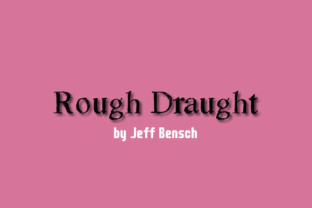
Rough Draught: A Decorative Font That Bridges Process and Polish
Typography choices often fall into two camps: the strictly functional and the purely decorative. Rarely does a single typeface straddle both worlds with as much intention as Rough Draught, the hand-drawn decorative font created by Jeff Bensch. At first glance, it reads as raw, sketchy, and unfinished. But that rough edge is precisely what makes it so useful across a wide range of real workflows, from early ideation to final presentation.
Understanding where Rough Draught fits into your process, and how it interacts with other design elements, tools, and project phases, can help you use it not just as a stylistic afterthought but as a deliberate part of your planning and execution.
What Rough Draught Is Designed to Do
Rough Draught mimics the look of hand-drawn lettering, complete with irregular edges, varying stroke weights, and an unpolished feel. Unlike clean sans-serif or formal serif fonts, it carries a sense of immediacy, as if someone jotted it down with a marker or pencil in the middle of thinking. This quality makes it less about perfection and more about presence.
Jeff Bensch designed Rough Draught with the decorative category in mind, but its utility extends well beyond purely aesthetic applications. It works because it communicates effort without pretension. In practice, that means it can serve as a visual cue for draft-stage thinking, rapid iteration, and human-centered communication across projects, businesses, and creative work.
Ideation and Brainstorming
When you are sketching out concepts, the last thing you want is a typeface that looks finished. A polished font can trick your brain into treating an early idea as a final solution. Rough Draught, by contrast, keeps you grounded in the exploratory phase. It reinforces the mindset that this is a draft, something to build on, challenge, or discard.
In team settings, using Rough Draught for headers, titles, or labels on whiteboard exports, slide decks, or shared digital canvases signals to collaborators that the content is still in flux. It invites feedback and iteration rather than premature approval. That alone can shift a team's dynamic from defending ideas to improving them.
Wireframing and Low-Fidelity Prototypes
For UX designers, product managers, or entrepreneurs mapping out interfaces, Rough Draught can serve as the typographic layer for wireframes. Instead of using lorem ipsum or a neutral system font, try setting your placeholder headings and labels in Rough Draught. It visually reinforces the low-fidelity nature of the wireframe, helping stakeholders focus on structure and flow rather than font choice or color scheme. This is especially useful when presenting early concepts to clients or decision-makers who might otherwise fixate on visual polish before the logic is sound.
Content Drafting and Markup
Writers, editors, and content strategists often rely on visual cues to separate drafts from final copy. Rough Draught can be used inside your content management system, markdown editor, or even your document styling to indicate sections that need revision, expansion, or verification. By applying it sparingly to notes, annotations, or editorial tags, you create a visual shorthand that distinguishes in-progress material from material that has been reviewed.
For example, a blogger managing a multi-editor workflow might use Rough Draught in the metadata or inline comments of a shared document. A scriptwriter might use it for stage directions that still need blocking. The font becomes a lightweight signal that says, "This part is still being worked out," without requiring extra labels or color coding.
Internal Presentations and Standups
Not every presentation needs to look like a pitch deck. In daily standups, sprint reviews, or internal status meetings, using Rough Draught for slide titles or section headers can reduce formality and encourage more candid discussion. It creates room for admitting uncertainty, asking questions, and offering half-baked ideas. Over time, teams that adopt this visual language often find that their internal communication becomes more honest and less performative.
Post-Mortems and Retrospectives
Project wrap-ups are about extracting lessons, not celebrating perfection. Rough Draught can be used effectively in retrospective documents, post-mortem reports, or project summary pages to highlight areas for improvement, open questions, or unfinished follow-ups. Its raw character matches the tone of honest reflection. When you pair it with more structured body text in a neutral font, the contrast makes actionable insights stand out.
Portfolio and Case Study Presentation
For freelancers, small business owners, and creative professionals, showing process is just as important as showing results. Rough Draught can appear in portfolio case studies as a visual element that separates process documentation from final outcomes. Use it to label sketches, early wireframes, brainstorming notes, or before-and-after comparisons. It adds authenticity and helps viewers appreciate the iterative work behind the polished deliverables.
Pairing with Neutral Fonts
Rough Draught is most effective when used in contrast with cleaner, more readable typefaces. Pair it with a simple sans-serif like Open Sans, Roboto, or Inter for body copy. The combination gives you a clear visual hierarchy: the rough font signals headings, labels, or commentary, while the clean body carries the primary reading experience. This pairing works across slide decks, documents, websites, and social media graphics.
Compatibility with Design Software
Rough Draught is a standard font file (OTF or TTF) and installs into any operating system or design application that supports custom fonts. It works seamlessly in Adobe Creative Suite, Figma, Sketch, Canva, Affinity Designer, and web-based tools. If you are working in a browser-based environment, check whether your platform supports font uploads or if you need to use a web font version. For repeated use across a team, consider storing it in a shared asset library or design system.
Physical and Print Applications
Because Rough Draught is a hand-drawn style, it translates well to print. Use it for flyers, posters, workshop materials, or product packaging where you want to convey a handmade, approachable, or experimental feel. In print, its irregular edges become part of the texture, reducing the coldness of digital precision. Just be mindful of legibility at small sizes. Rough Draught works best for display purposes, not long paragraphs at 10-point type.
Practical Implementation Tips for Smooth Integration
- Use it selectively. Reserve Rough Draught for headlines, subheads, pull quotes, labels, or annotations. Overusing it diminishes its effect and can make a layout feel chaotic. One or two levels of hierarchy are enough.
- Test for readability. Before committing to Rough Draught in a client-facing asset, test it on your target audience or at the actual viewing distance. What looks good on a monitor may not work on a mobile screen or a large-format poster.
- Combine with whitespace. Because Rough Draught carries visual texture, it benefits from generous spacing. Let it breathe. Crowding it with other noisy elements undermines its distinctive quality.
- Maintain consistency. If you use Rough Draught in a project, define where and how it appears. Use style guides, design tokens, or component libraries to enforce consistent usage across documents, slides, and prototypes.
- Create a fallback. For web use, always provide a fallback font in your CSS so that users who do not have Rough Draught installed still see a readable alternative.
Long-Term Use and Quality Control
Rough Draught is not a font you set and forget. Its value comes from deliberate application over time. As you build projects, you will naturally develop a sense for where its rawness adds meaning and where it gets in the way. Pay attention to that.
If you are a small business owner using Rough Draught in marketing materials, periodically review whether the brand message still aligns with the font's handmade character. As your business evolves, your typographic choices may need to evolve too. The same applies to educators, bloggers, and creators who use it as a visual signature. Consistency matters, but so does relevance.
For process documentation and internal workflows, long-term use can actually improve team communication. When everyone recognizes Rough Draught as the "still in progress" font, reading a document becomes faster and more intuitive. That shared visual language reduces the cognitive overhead of parsing meeting notes, project boards, or draft reviews.
Adapting Rough Draught to Your Own Process
Integrating a decorative font like Rough Draught into a workflow is not about forcing it into every corner. It is about finding the moments where its unfinished quality serves a purpose: keeping ideas flexible, signaling draft status, or adding a human touch to digital work.
Start small. Try it in one project phase, such as ideation or internal presentation, and see how it affects the way you and your collaborators engage with content. From there, expand to other stages as it feels natural. Over time, Rough Draught can become more than a font. It can become a practical signal for process, iteration, and honest communication, qualities that are valuable whether you are sketching a business plan, designing a website, or drafting a personal creative project.