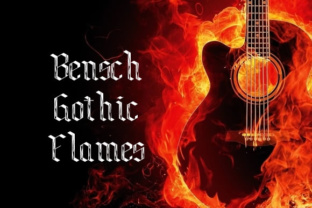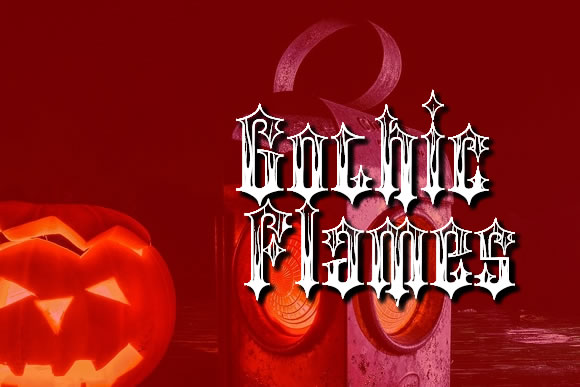
Gothic Flames: A Vintage Blackletter Font for Bold Projects
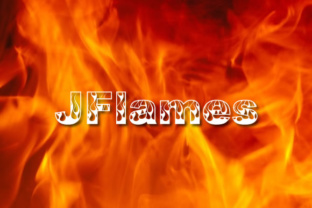
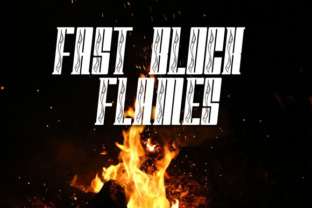
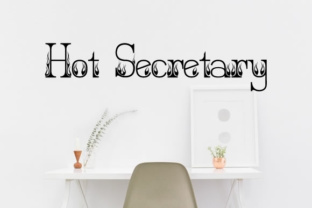
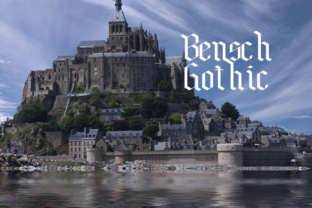
You have a project that needs to stop people mid-scroll. Maybe it is a poster for a metal band, a logo for a craft brewery, or a wedding invitation that trades lace for wrought iron. You need a font that does not whisper. That is where Gothic Flames steps in. This imposing and vintage blackletter font brings weight, history, and a certain kind of drama that modern sans-serifs just cannot touch. It is not a font for everything, but when it fits, it fits hard.
Blackletter fonts have a long history, and Gothic Flames draws on that tradition while keeping enough readability for practical use. The letterforms carry sharp angles, thick strokes, and a decorative feel that signals tradition, authority, or rebellion depending on how you use it. If you have ever seen a font and immediately thought of old manuscripts, heavy metal album covers, or gothic architecture, you are in the right ballpark. This font takes that aesthetic and makes it usable for real projects.
Where Gothic Flames Works Best
The real power of Gothic Flames shows up when you use it with intention. It is not a font for long paragraphs or body text. It is a font for moments that need emphasis. Think of it like a sledgehammer in a toolbox. You do not use it for every nail, but when you need it, nothing else compares.
Web Design That Demands Attention
When you design a website, the first thing a visitor sees is often a headline or a hero section. Gothic Flames works beautifully there. Imagine a landing page for a gothic clothing brand, a horror podcast, or a medieval-themed event. The headline set in this font immediately tells the visitor what kind of world they have entered. It sets a mood that no generic font can match.
For bloggers and content creators, consider using Gothic Flames for section headers or pull quotes. It breaks up the page and gives readers a visual anchor. If your blog covers topics like dark aesthetics, historical design, or alternative culture, this font reinforces your niche. It tells your audience you understand the vibe.
Business Cards That Leave a Mark
Entrepreneurs and freelancers know that a business card is often the first physical impression you make. A card using Gothic Flames for your name or your company name feels deliberate. It suggests you operate in a space that values craftsmanship, tradition, or edge. A tattoo artist, a calligrapher, a vintage shop owner, or a metal music producer can hand someone a card that looks like it belongs in their world. It is not just contact information. It is a statement.
I have seen a local blacksmith use a similar blackletter font on their cards, and it worked because the font matched the work. Gothic Flames can do the same for anyone whose brand leans into the bold, the old, or the unconventional.
Print Materials with Presence
Posters, flyers, and certificates all benefit from the right typography. A concert poster using Gothic Flames for the band name feels more authentic than one using a standard headline font. For event organizers planning a Halloween party, a gothic fair, or a Renaissance festival, this font on your promotional materials immediately communicates the theme. It saves you from having to explain the vibe in words.
Educators and hobbyists running courses on calligraphy, medieval history, or gothic art can use Gothic Flames on certificates of completion. It adds a ceremonial feel that makes the certificate something people want to frame. The same goes for awards or recognitions in creative fields where style matters.
Who Benefits from Gothic Flames
Different people will use this font in different ways, and that versatility is part of its strength. Let me walk through a few realistic scenarios.
Small business owners in niche markets often struggle to find fonts that reflect their brand. A craft brewery with a gothic label aesthetic can use Gothic Flames on bottle labels, tap lists, and merchandise. A bakery that specializes in dark, moody desserts like black velvet cake or charcoal croissants can use it on packaging. It is not about being dramatic for no reason. It is about consistency. When your brand has a certain look, every piece of communication should match.
Freelancers and designers working with clients in alternative industries will find Gothic Flames a valuable tool in their font library. When a client asks for something that feels ancient, powerful, or rebellious, this font gives you a strong starting point. You can pair it with a clean sans-serif for contrast, using the blackletter for headlines and the sans-serif for body text. That combination keeps the design readable while giving it character.
Marketers and content creators who run social media accounts or YouTube channels around dark themes, metal music, gothic lifestyle, or horror can use Gothic Flames in thumbnails, quote graphics, and channel art. A single word or phrase in this font can make a thumbnail stand out in a crowded feed. It signals to the right audience that your content is for them.
Publishers and authors working on books with medieval themes, dark fantasy, or gothic horror can use Gothic Flames for cover titles, chapter headers, and decorative elements. It helps the reader feel the world before they even read a word. Self-published authors especially benefit from small touches that make their book look professional and intentional.
Practical Considerations Before You Use It
Gothic Flames is a powerful tool, but like any tool, it works best when you understand its limitations. Here are a few things to keep in mind.
Legibility is the main concern. Blackletter fonts are inherently less readable than standard fonts, especially at small sizes. Avoid using Gothic Flames for body text, captions, or anything below about 18 to 24 points in print, or a similar size on screen. The eye needs room to recognize the letterforms. If you have to squint, your audience will too.
Pairing matters. Gothic Flames pairs well with clean, simple fonts that do not compete for attention. Think neutral sans-serifs like Open Sans, Lato, or Helvetica. The contrast between the ornate blackletter and a minimal sans-serif gives your design balance. It also helps the reader navigate the content because the body text is easy to read while the headlines carry the personality.
Context is everything. Gothic Flames works in projects where a vintage or gothic aesthetic fits. If your brand or project is modern, minimalist, or corporate, this font will feel out of place. That is not a flaw in the font. It just means you need to match the font to the message. Using it on a law firm's website or a healthcare provider's brochure would confuse the audience. Save it for projects where the visual tone aligns.
File formats and licensing matter when you download a font. Make sure you check the license before using Gothic Flames in commercial projects. Some fonts require a paid license for commercial use, while others are free for personal projects only. Reading the fine print saves you headaches later, especially if you plan to use it on products you sell.
Real Examples That Work
I have seen Gothic Flames used on a tattoo studio's website, and it made the studio feel established and serious about its craft. The headline on the homepage said custom work in the font, and below it, a clean sans-serif explained the process. The font did not overwhelm the page. It anchored it.
Another example is an independent musician who released an album with a dark folk sound. The album cover used Gothic Flames for the band name and a simple serif for the album title. The font choice told listeners the music had roots in older traditions. It was not pop music. It was something deeper.
A wedding invitation designer I know keeps Gothic Flames in their toolkit for clients who want a gothic or Halloween-themed wedding. The couple name in this font at the top of the invitation sets the tone, and the rest of the text in a readable serif keeps the information clear. The result is an invitation that feels personal and intentional, not generic.
Making the Most of Gothic Flames
If you are considering using Gothic Flames, start with one small project. Try it on a single headline, a logo draft, or a poster concept. See how it looks in context. Show it to a friend or a colleague and ask what they feel when they see it. The feedback will tell you a lot about whether the font fits your message.
You can also experiment with color and spacing. Dark backgrounds with gold or white lettering often look dramatic. Tight kerning works well for a dense, traditional feel, while slightly looser spacing can make the font feel more modern and accessible. Play with it. That is the best way to learn what works.
Gothic Flames is not a font for every project, but it is a font that does one thing extremely well. It gives weight, history, and personality to anything it touches. When you have a project that needs to stand up and be noticed, this font can be the difference between blending in and making an impression.